
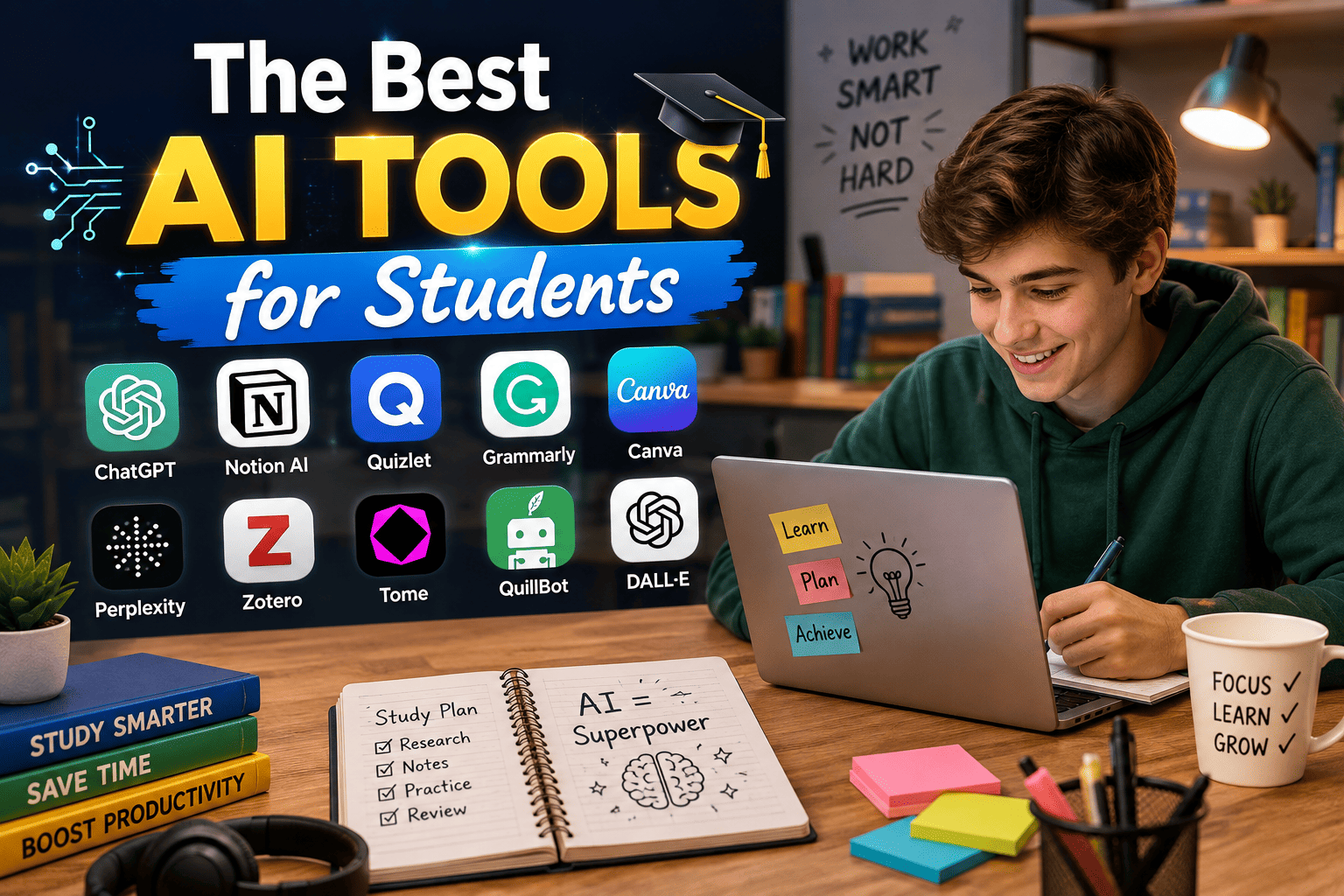
Quick Answer: Best AI Tools for Students in 2027
The best AI tools for students depend on the task. ChatGPT and Gemini are strong general assistants. NotebookLM and Quizlet help you study from your own notes. Grammarly polishes your writing. Perplexity and Consensus help you find sources. Notion organizes notes and plans, and GitHub Copilot helps with coding. The safest way to use any of them is to let AI explain, quiz and check your work while you do the thinking. For homework-specific sites, see our full guide to homework help websites.
AI tools for students now cover almost every part of school life: understanding a hard topic, planning an essay, checking a paragraph, finding sources, making flashcards and keeping a busy week organized. The problem is no longer a shortage of tools. It is knowing which ones are worth your time, which are free and how to use them without crossing the line into cheating.
This guide groups the best AI tools for students by what you are trying to do, so you can jump to the task in front of you. We focus on tools that are free or have a useful free plan, that explain things instead of only giving answers and that suit high school and college students in the United States, United Kingdom, Australia and Canada. Tool features and prices change quickly, so check each tool’s own site before you sign up. Some links on this site may be affiliate links, and we explain how in our affiliate disclosure. We only recommend tools we think are useful.
There are hundreds of online tools and applications, but not all are reliable and capable of helping young learners.
For context on how AI tools fit into the bigger picture of responsible AI use for teenagers, including safety, academic integrity, and mental health, our complete AI and teens guide covers all of it in one place.
For this reason, in the past few months, we have tried and tested dozens of
utilities, and after detailed analysis, we have listed the most trusted
options. So, without any delay, let us dig into the details.
Which AI Tool Should You Use? Quick Picks by Task
If you are in a hurry, start here. Each row shows a strong first choice and a free way to begin. Details for every tool are further down.
| Task | Strong first choice | Free way to start |
|---|---|---|
| Homework help | Khan Academy and Khanmigo | Khan Academy |
| Studying and exams | NotebookLM, Quizlet | NotebookLM free tier |
| Essay planning and writing | ChatGPT, Claude, Gemini | Free plans of each |
| Grammar and clarity | Grammarly | Grammarly free |
| Finding sources | Perplexity, Consensus | Free tiers |
| Notes and organization | Notion | Notion free plan |
| Lecture recording | Otter.ai | Otter free plan |
| Math and science | Photomath, Wolfram Alpha | Microsoft Math Solver |
| Languages | Duolingo | Duolingo free |
| Presentations and design | Canva, Gamma | Canva free |
| Coding | GitHub Copilot | Free for verified students |
Understanding AI and its Benefits!
Artificial intelligence is no longer a fancy term; rather, it has become a powerful tool that has the potential to manage complex problems and automate tasks that otherwise require a lot of human effort and time.
You must know that modern AI tools are designed with advanced technologies such as natural language processing and have machine learning capabilities, enabling them to enhance the learning experience for students and other users.
Modern AI tools can help you in tasks such as collecting information, research analysis, writing, proofreading, paraphrasing, editing, and other important tasks that a learner has to manage manually.
Now that you know what AI is and its notable benefits, let’s dig into the next section.
Top AI Tools for Enhancing Learning in 2027
Below are the most reliable utilities that can help you improve your learning experience at school and in your
professional life.
1. ChatGPT (OpenAI)
The first tool in our list is ChatGPT by Open AI. This is one of the most commonly used AI solutions, mainly because it is free and poses no such restrictions. This tool can be used to automate research and content creation tasks.
You must know that Chat GPT is among the most advanced and popular chatbots. The tool is designed to understand and respond to prompts and queries given by users.
The tool can be used during research-related projects. It can generate fresh content and provide details related to the topic. It can also help users structure their work and create outlines.
Here, you should know that this cloud-based chatbot can create complete articles from scratch. This means users who are not experts in writing can also leverage this tool and complete their work on time.
Suggested Read: How to start a content writing jobs
2. Canva’s AI Design Tools
Canva is a popular design tool that uses artificial intelligence and machine learning models to enhance user experience. Using this AI tool, a user can easily create high-quality and unique visuals without having any design experience or paying a single penny.
Using Canva, users can easily create images, infographics, posters, banners, and other visuals. Other than predesigned templates, users would also find different editing tools to customize images according to their preferences.
Canva is an excellent tool for students who want to learn to design and create visually appealing presentations and other projects.
Beyond Canva, there are also intuitive online tools like a poster maker from Adobe Express that let users design professional-quality visuals quickly and without prior experience.
3. Rephraser.co
Rephraser.co is a reliable AI tool that helps users improve their writing by suggesting synonyms and restructuring sentences. This website has multiple tools, including text rewriter, plagiarism remover, humanizer, grammar checker, summarizer, article rewriter, and many others.
This AI rephraser tool relies on natural language processing and machine learning algorithms, which enable it to understand the original text and modify it better. Using the rephraser tool, users can easily improve text quality and ensure originality.
This tool can be used for three purposes:
- removing unwanted plagiarism,
- improving text readability, and
- recycling your old top-performing posts.
This online rephrasing tool is best for students and other users who want to learn the art of text rewriting. The tool can easily revise existing text using different wording without changing its intent. This is what makes it a popular choice.
🎓 Planning What Comes Next?
AI skills, careers, side hustles, and smart choices for using AI wisely — everything to get a head start.
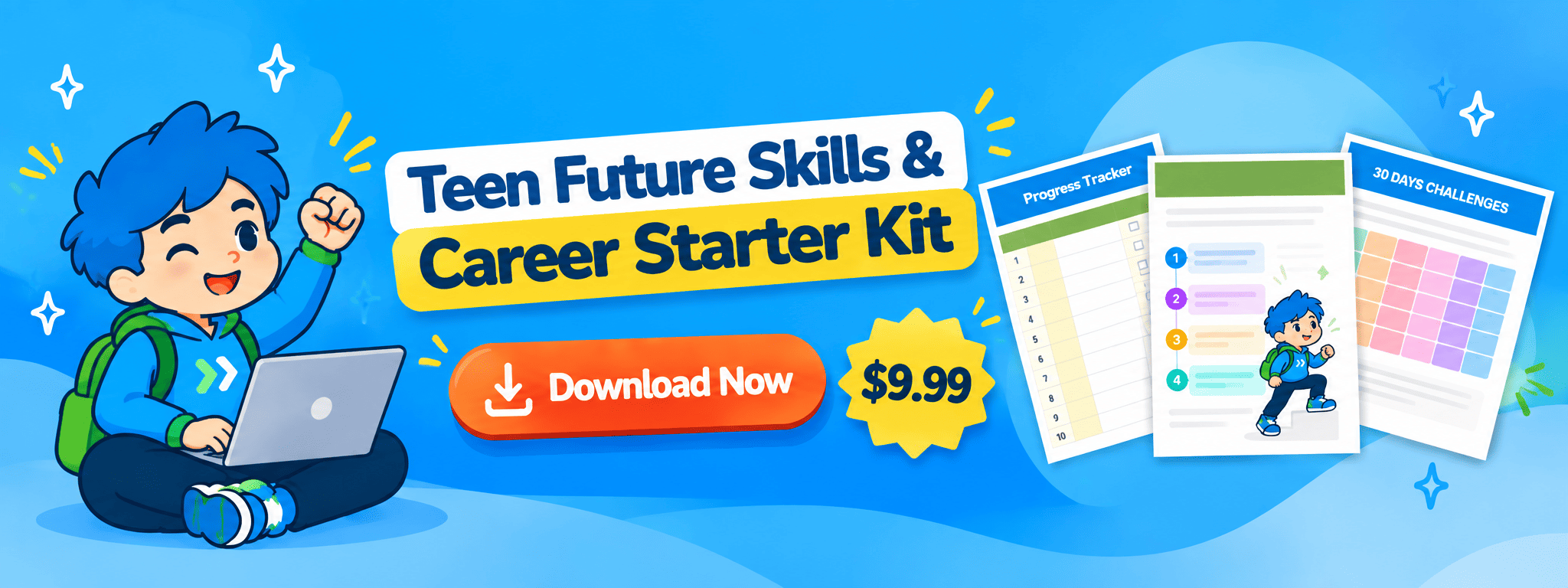
Want a guided plan instead of just articles?
Get the Teen Future Skills & Career Starter Kit → $9.99
4.ParaphraseTool.ai
Another trustworthy tool for users looking to enhance their learning experience is paraphrasetool.ai. As the name suggests, the primary purpose of this online paraphrase tool is to reword preexisting material differently.
Paraphrasing is a very important skill as it helps you use information and ideas that other authors present without getting accused of plagiarism. This tool also uses NLP and ML to analyze and explain the text in different words, which is why the results are original and, most importantly, reader-friendly.
If you want to learn how to paraphrase content in different words without damaging its intent, you must try this tool. This paraphraser offers six modes, allowing you to revise the same text in different styles.
In addition, you should know that this paraphrasing tool works in 20+ languages, making it an ideal solution for students, writers, marketers, bloggers, and other users across the globe.
Use paraphrasing tools to improve clarity in your own writing, not to disguise copied work, and always cite your sources.
5. Grammarly AI
Grammarly is another AI-powered tool and the last one on this list. This proofreading tool is designed to help students and all other users improve the quality of their content. Whether you want to improve the quality of your emails, research papers, blogs, or social media posts, you can trust this tool.
Grammarly uses the most advanced technologies to identify and fix spelling mistakes, missing punctuation, grammatical blunders, and other technical issues. The tool would offer suggestions to improve the quality of text. So, to enhance text readability, you must try out Grammarly AI.
Here, you must know that besides text refinement features, you will also find an in-built plagiarism checker tool to easily find intentional and unintentional traces of duplication within seconds.
By using Grammarly AI, a user can easily learn how to write qualitative, clear and concise content.
Best AI Tools for Writing Essays Honestly
Writing is the area where students are most tempted to let AI do everything, and also where schools are strictest. The best approach is to use AI for the parts that help you think, and keep the actual writing in your own words.
Use a chatbot such as ChatGPT, Claude or Gemini to brainstorm angles, build an outline, explain a concept you do not understand or play the role of a critical reader who points out weak arguments. Then write the draft yourself. Once you have a draft, Grammarly or a similar checker can catch grammar, spelling and clarity problems, and you can ask a chatbot to point out unclear sentences without rewriting them for you.
Avoid pasting an assignment into a tool and submitting the result. It is likely to break your school’s rules, the writing will not sound like you and the content can contain errors. If your school allows AI help, add a short note describing how you used it. If you are unsure, ask your teacher before you start.
Our guide on whether teens can rely on AI covers accuracy and bias in more depth.
Best AI Tools and Websites for Homework Help
When you are stuck on homework, the best tools explain the method instead of only handing over the answer. Khan Academy is the strongest free starting point for math, science and more, Khanmigo adds an AI tutor that guides you with questions and hints, and math checkers such as Photomath or Microsoft Math Solver can show you the steps after you have tried a problem yourself. Public libraries often provide free live tutoring too. We compare 25 free and paid sites by subject, price and use in our full guide to the best homework help websites.
Best AI Tool for Note-Taking and Organization
Keeping research, lecture notes, and project deadlines organized is its own skill, separate from writing or editing and it’s where a dedicated AI-powered workspace tool earns its place on this list. The current pick in this category is Notion, which uses AI to summarize notes, generate outlines from scattered ideas, and keep coursework organized across a single connected workspace rather than a dozen separate documents. A strong tool in this category should let students search across all their notes instantly, auto-generate summaries from longer documents, and adapt to whatever subject or project structure a student is already using not force them into a rigid template.If you record lectures, Otter.ai can transcribe them and create summaries you can search later. Always ask your teacher or professor before recording a class, and check your school’s policy. Notion also offers education plans in some cases, so check whether you qualify.
😌 Bored, Stressed, or Just Need Ideas?
Hobbies, books, group activities, and real ways to handle teenage stress — for when school feels like a lot.
Best AI Tools for Studying and Exam Prep
The most effective way to study is active recall, which means testing yourself instead of rereading. AI makes that easy, because it can turn your own notes into questions, summaries and practice tests in seconds. The tools below do this best, and they all work better when you feed them your own class material.
NotebookLM
Google’s NotebookLM lets you upload your own notes, slides and readings and then ask questions that it answers from those sources. Because it is grounded in your material, it is less likely to wander off-topic than a general chatbot. You can ask it to summarize a chapter, quiz you on key terms or explain a confusing section in simpler words. It is a strong choice for revision when your teacher has given you specific material to learn.
Best for: studying from your own notes. Watch out: always check summaries against the original material for anything important.
Quizlet
Quizlet is a flashcard platform with millions of study sets and AI features that can turn notes into practice questions. The free plan covers the basics, and paid plans add more study modes. It remains one of the easiest ways to revise vocabulary, definitions and formulas.
Best for: flashcards and quick revision. Watch out: some AI features need a paid plan, and public sets can contain mistakes.
Khanmigo
Khanmigo is Khan Academy’s AI tutor. It is designed to guide students toward understanding with questions and hints, which makes it a good fit for studying and homework alike. It is a paid add-on to the free Khan Academy platform, with a low monthly fee compared with a human tutor.
Best for: guided practice that teaches. Watch out: it is still an AI, so verify anything you plan to rely on in an exam.
AI Study Modes in General Chatbots
Several major AI assistants now include learning-focused modes that ask you questions and walk through ideas step by step instead of simply answering. If your chatbot offers a study or guided learning mode, switch it on when you are revising. It is a simple way to turn a general tool into a tutor.
A simple weekly routine works well: after each class, paste or upload your notes, ask the AI to generate ten practice questions, answer them without looking, then check your answers. For more on study methods, see our guide to 7 AI tools teens can use to study smarter.
Best AI Tool for Research and Summarization
Sorting through long academic papers, articles, or reports for the handful of points that actually matter is one of the most time-consuming parts of any research project. A good research and summarization tool condenses long-form material into digestible key points without losing the original meaning or misrepresenting the source. The current pick in this category is Brainly, which combines AI-generated explanations with a large community knowledge base to help students work through research questions and homework problems alike.
Whatever tool fills this slot, the core test is the same: does it save real research time without introducing errors that could compromise academic accuracy?
More AI Tools for Research and Finding Sources
AI chatbots can sound confident while being wrong, and they sometimes invent sources that do not exist. For research, choose tools that show where information comes from.
Perplexity
Perplexity is an AI search tool that answers questions and shows the sources it used, so you can click through and check them. It is a good starting point for getting an overview of a topic and finding real articles to read.
Consensus
Consensus searches published research papers and summarizes what they say on a question, which helps with college-level essays and science projects. It points you to real studies instead of making up claims.
Google Scholar and Your Library
Google Scholar and your school or public library’s databases remain the most reliable sources for academic work. Use AI tools to find your way into a topic, then read and cite the original sources yourself.
A good rule is to never cite something you have not opened. If an AI gives you a source, find it and confirm that it exists and says what the AI claims.
😄 Need a Happiness Boost?
Habits, quotes, and daily moments to help you feel a little lighter today.
🧠 If happiness feels out of reach lately, stress might be the real reason why.
Check My Stress Level →Best AI Tools for Math and Science
Photomath and Microsoft Math Solver let you scan or type a problem and see worked steps, which is useful for checking where you went wrong. Wolfram Alpha handles advanced math, science and statistics questions, and Desmos is a free graphing calculator. Khanmigo can guide you through a problem with hints. Whatever you use, try the problem first and use the tool to understand the method, then redo the problem on your own. Our homework help websites guide compares these tools in detail.
Best AI Tools for Learning Languages
Duolingo turns language study into short daily lessons, and its paid tier adds AI conversation features. General chatbots can also act as practice partners: ask one to hold a simple conversation in Spanish, correct your mistakes and explain the grammar behind each correction. For listening, combine these with real audio such as podcasts and videos in your target language.
Best AI Tools for Presentations and Design
Canva has AI features for generating layouts, images and slides and is free for students and teachers in many schools. Gamma can draft a presentation from a short outline, and Adobe Express offers templates and AI-assisted design. Use these tools to speed up layout, but write the content yourself and check every fact, since AI-generated slides can include errors. Always check what your school allows for AI-generated images and text.
Best AI Tool for Study Planning and Task Management
Even the best writing and research tools don’t help much if assignments, deadlines, and study sessions aren’t organized in the first place. This category covers tools that use AI to help plan study schedules, break large projects into manageable tasks, and send reminders before deadlines sneak up. The current pick is ClickUp, which applies AI-assisted task management to academic workloads the same way professional teams use it for project tracking.
The right tool in this category should reduce the mental load of remembering what’s due and when — not add another app to check on top of everything else.
A tool only helps if you use it, so keep your system simple: one place for deadlines, one list for this week’s tasks and one study block per day. Our printable Homework & Study Planner gives you a weekly tracker, a due-date list, an exam countdown and an AI-use log so you can record what you asked AI and what you learned. If you struggle to start, read our tips on how to improve focus naturally.

Best AI Coding Assistant for Students
For students studying computer science or working through coding assignments, general-purpose writing tools only go so far — a dedicated coding assistant understands syntax, catches errors in context, and explains what a block of code is actually doing rather than just generating text. The current pick in this category is GitHub Copilot, which offers a free tier specifically for verified students and suggests code completions directly inside common code editors. A strong tool in this category should explain its suggestions clearly enough that a student actually learns from them, rather than just handing over a finished answer to copy without understanding it.GitHub Copilot is free for verified students through GitHub’s education program, which makes it one of the best deals for coding students. Beyond Copilot, general chatbots are useful for explaining error messages and walking through code line by line. To learn instead of copying, ask the AI to explain its answer and then rewrite the code yourself without looking. Free resources such as freeCodeCamp pair well with AI help.
🔮 Explore More Free Numerology & Astrology Tools
Free calculators and guides — no sign-up required
🧭
Life Path Number Calculator
Find the number that shapes your entire life journey from your date of birth
👼
Angel Number Calculator
Discover your personal angel number by birth date or name
🎨
Lucky Color Calculator
Find your zodiac sign's lucky colour by date of birth
✨
Angel Numbers Guide
What repeating numbers like 444, 1111 and 222 mean for you right now
📚
Numerology Hub
All guides, calculators and explainers in one place
Best Free AI Tools for Students
You can build a strong toolkit without paying anything. A sensible free set is a general chatbot such as ChatGPT, Gemini or Claude for explanations and brainstorming, NotebookLM for studying from your own notes, Grammarly’s free plan for proofreading, Perplexity’s free tier for finding sources, Notion’s free plan for notes and Canva’s free plan for design. Add Khan Academy for lessons and your library card for free tutoring. Free plans have limits that change, so if one tool does not meet your needs, test a paid plan for a month before committing.
Which AI Tools Fit Your Level?
Middle school and early high school: Choose tools made for learning, such as Khan Academy and Khanmigo, and use general chatbots with a parent’s knowledge. Many AI services have minimum ages, often 13, with parental permission under 18, so check each one’s rules.
Late high school: Add NotebookLM, Quizlet, Grammarly and a research tool such as Perplexity. This is also a good time to learn how to cite AI use properly. See our guide to creative ways teens are using AI in school.
College: Use research tools such as Consensus alongside your library databases, plus note-taking tools and a study planner. College policies vary by course, so read each syllabus.
Parents: Start with the tools your teen’s school already supports, talk openly about honest use and review privacy settings together. Our complete AI and teens guide for parents and teens explains how to set rules that work.
Can You Use AI for School Without Cheating?
Yes, when you use AI to learn and follow your school’s rules. Policies differ widely between schools, teachers and even assignments. Some allow AI for brainstorming and feedback but not for writing, some require you to disclose any use, and some ban it entirely for certain tasks. Read your school’s academic integrity policy and your syllabus, and ask when you are not sure.
A simple test helps: if your teacher watched exactly how you used the tool, would you be comfortable? If the answer is yes, you are probably fine. If you would prefer they did not see it, you have likely crossed a line.
Some teachers use AI detection software, but these tools can be wrong, including flagging honest work. The best protection is to do your own thinking, keep drafts and notes that show your process and be open about how you used AI. Our guide on AI and teen responsibility covers the benefits, risks and smart choices in more depth.
10 Prompts That Help You Learn Instead of Copy
How you ask matters. These prompts keep you in control of the thinking.
To understand a topic: “Explain photosynthesis as if I am in ninth grade, then ask me three questions to check that I understood.”
To get hints, not answers: “Give me a hint for this problem but do not give the final answer.”
To test yourself: “Using these notes, write ten practice questions of increasing difficulty and wait for my answers before correcting them.”
To check your reasoning: “Here is my solution. Tell me where my reasoning goes wrong without rewriting it.”
To outline an essay: “Suggest three possible angles for an essay on this topic and the strongest argument against each.”
To improve your writing: “Point out the three least clear sentences in this paragraph and explain why, but do not rewrite them.”
To simplify a reading: “Summarize this article in five sentences, then list any terms I should look up.”
To plan your week: “I have these assignments and exams this week. Suggest a realistic study schedule with breaks.”
To learn from mistakes: “Here are the questions I got wrong. Explain the pattern in my mistakes and give me similar practice problems.”
To check facts: “List the main claims in your last answer and tell me how I can verify each one with a reliable source.”
Privacy and Safety When Using AI Tools
Do not enter personal details such as your full name, address, school, passwords or private photos into AI tools. Assume that anything you type may be stored. Check each tool’s age rules and privacy settings, use a strong password and never upload another person’s private information. If a tool asks for payment details, check the company is real and that you have a parent’s permission when needed. AI can also be wrong or biased, so treat answers as a starting point and verify anything that matters.
Go Deeper: Related Student Guides
Explore these guides to go further on specific parts of student life with AI.
Best Homework Help Websites: 25 free and paid sites by subject.
7 AI Tools Teens Can Use to Study Smarter: study methods and tools.
Can Teens Rely on AI?: accuracy, bias and safety.
AI and Teen Responsibility: smart and honest choices.
The Complete AI and Teens Guide: for parents and teens.
Best Freelance Skills for Teens: turn skills into your first project.
Top 10 AI-Powered Careers for Teens: where AI skills lead.
Conclusion
Artificial intelligence has become increasingly important because it can streamline tasks that otherwise require human effort and time.
In this article, we have discussed a few helpful AI tools to help users improve their learning experience. From using ChatGPT to create unique content from scratch to ParaphraseTool.ai to revise existing text, one can leverage AI tools to enhance learning potential.
We hope that you will see a major difference in managing your academic tasks after using these free AI tools. Also, we are sure that once you start using these tools, you will save a lot of time and effort!
You do not need every tool in this guide. Choose one general assistant, one tool for studying and one for writing or research, learn them well and use them to understand more, not to do less. Pair them with a simple weekly plan, such as our printable Homework & Study Planner, and you will get far more from AI than from a long list of apps you never open. Explore our guide to the best homework help websites whenever you need extra help on a specific assignment.
Also Read: Side Hustle for Teens
💰 WEALTH & MONEY CALCULATORS
Discover Your Financial Luck & Money Energy
Frequently Asked Questions
Can AI actually help students in 2027?
Yes, genuinely AI tools now handle a meaningful share of the repetitive work around studying, from summarizing long readings to catching grammar mistakes to organizing scattered notes into something usable. Used well, they free up time for the parts of learning that still require real thinking, like understanding concepts and applying them, rather than replacing that thinking outright.
Are AI tools for students free?
Most of the tools on this list offer a genuinely usable free tier, not just a limited trial — ChatGPT, Grammarly, Notion, and Brainly all provide free access to their core features, with paid upgrades reserved for higher usage limits or advanced functionality. GitHub Copilot specifically offers a free tier for verified students. It’s worth checking each tool’s current pricing page directly, since free-tier limits do change over time.
What AI tools are similar to ChatGPT for students?
Claude and Google’s Gemini are the two most commonly compared alternatives to ChatGPT, offering similar conversational research and writing assistance with their own strengths in different areas. For students specifically focused on writing quality rather than general-purpose chat, Grammarly’s AI features are also a common comparison point, since it’s built specifically around refining text rather than generating it from scratch.
Are these AI tools useful for teachers as well as students?
Yes, several tools on this list serve both audiences. Notion is commonly used by teachers for lesson planning and organization the same way students use it for coursework, and Grammarly is just as useful for grading feedback as it is for student writing. The core functionality tends to translate well in both directions.
What’s the best free AI tool for studying on a budget?
ChatGPT’s free tier remains the most versatile starting point for students who want one tool that can help across research, writing, and general questions without any cost. For more specialized free options, Grammarly’s free tier covers core proofreading, and Brainly’s free tier covers homework help and research support.
What are the best AI tools for students?
ChatGPT, Gemini and Claude are strong general assistants. NotebookLM and Quizlet are best for studying, Grammarly for proofreading, Perplexity and Consensus for finding sources, Notion for notes and planning and GitHub Copilot for coding. The best choice depends on the task, so use the quick picks table above.
What are the best free AI tools for students?
Good free options include the free plans of ChatGPT, Gemini and Claude, NotebookLM, Grammarly, Notion, Canva, Perplexity and Khan Academy. Check each tool’s current limits, since free plans change.
Is there an AI website that can help me with my homework?
Yes. Khanmigo is built to guide students with hints, and general chatbots can explain concepts and check your reasoning. Look for tools that teach the method, and see our guide to the best homework help websites for more options.
Can ChatGPT do my homework?
Technically it can produce answers, but handing in work you did not do yourself usually breaks school rules and does not help you learn. A better approach is to use it to explain ideas, quiz you and check your work.
Is it cheating to use AI for school?
It depends on your school’s rules and how you use the tool. Using AI to understand a topic or get feedback is often allowed, while submitting AI-written work as your own usually is not. Read your school’s policy and ask your teacher if you are unsure.
What is the best AI for studying?
NotebookLM is a strong choice for studying from your own notes, and Quizlet is popular for flashcards. A general chatbot in study mode, or Khanmigo, can also tutor you through topics.
What is the best AI for writing essays?
ChatGPT, Claude and Gemini are good for brainstorming, outlining and feedback, and Grammarly is good for grammar and clarity. Write the draft yourself and follow your school’s rules on AI use.
What is the best AI for research?
Perplexity shows its sources, and Consensus searches published research. Use them to find real papers and articles, then open and cite the originals yourself.
What is the best AI note-taking app for students?
Notion is a popular choice for organizing notes, and Otter.ai can transcribe recorded lectures where recording is allowed. NotebookLM works well for asking questions about your own notes.
Are AI detectors accurate?
Not always. They can produce false results, including flagging human writing. Keep your drafts and notes to show your process, and be open about how you used AI.
What AI tools can high school students use?
Khan Academy and Khanmigo, NotebookLM, Quizlet, Grammarly, Notion and Canva are good fits. Check age rules for each tool, since some require parental permission under 18.
Are AI tools safe for students?
They can be, with care. Avoid sharing personal details, check privacy settings, verify facts and follow your school’s rules.
Do I have to pay for AI tools as a student?
No. Many tools have strong free plans, and some offer free or discounted access to students. Start free and upgrade only if you hit a limit that matters.
Will AI replace teachers or studying?
No. AI can explain, quiz and organize, but learning still depends on your effort and understanding, and teachers provide guidance, feedback and context that tools cannot.
Recent Posts
- 25 Aura Colors and Their Meanings: Chart, Shades and How to Find Yours
- Best Freelance Skills for Teens in 2027: 12 Skills to Learn First (and How to Choose)
- Best Homework Help Websites in 2027: 25 Free and Paid Sites for Every Subject
- How to Build a Writing Portfolio as a Teen With No Experience
- Best Skincare Routine for a Natural Glow (Morning & Night)